EN
EN


How to clean the image sensor of a machine vision camera without causing static damage?
Keeping the image sensor of a machine vision camera clean is one of the most critical maintenance tasks in any industrial imaging setup. Dust, oil residue, and airborne particles can settle on the sensor surface over time, degrading image quality, causing false inspection results, and ultimately reducing the reliability of your entire vision system. Understanding the right approach to sensor cleaning is essential for every engineer or technician who works with a machine vision camera in a production environment.
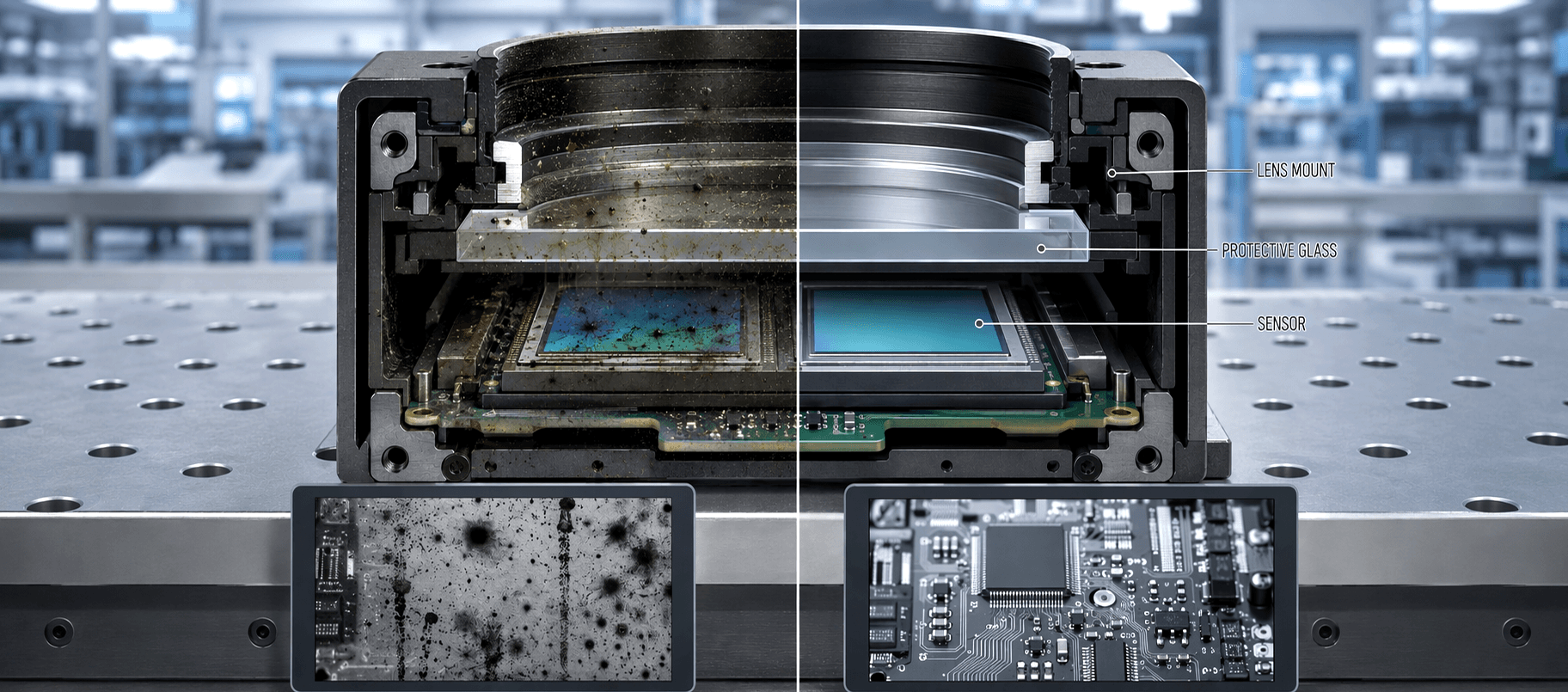
The biggest risk when cleaning a machine vision camera sensor is not the dust itself but the static electricity that improper cleaning can generate. Static discharge can permanently damage the sensor's delicate photoelectric elements, leading to costly repairs or full sensor replacement. This guide walks you through a safe, structured process for cleaning the sensor of a machine vision camera without triggering static damage, so your imaging performance stays consistent and your hardware stays protected.
Understanding Static Risks in Machine Vision Camera Sensors
Why Static Is the Primary Threat
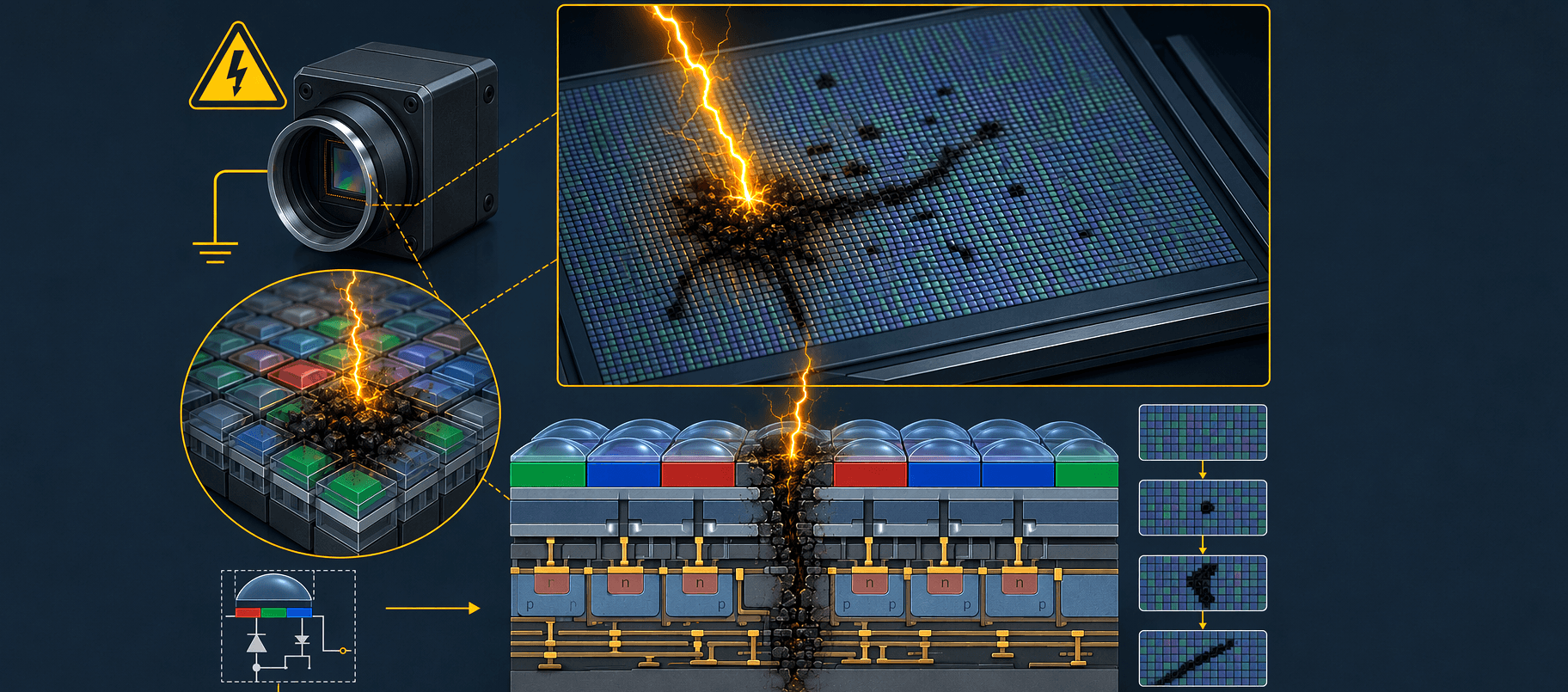
A machine vision camera sensor is built from a dense array of light-sensitive pixels. These pixels are extremely sensitive to electrostatic discharge, often referred to as ESD. When a cleaning tool rubs across the sensor surface without proper grounding or anti-static precautions, it can build up a static charge that discharges into the sensor instantly. Even a small ESD event that is imperceptible to the human body can permanently destroy pixel clusters on a machine vision camera sensor, creating dark spots or streaks in every image captured afterward.
In industrial environments, the risk of static buildup is higher than in standard office settings due to low humidity levels, synthetic flooring, and nearby electrical equipment. Every technician working on a machine vision camera must treat ESD prevention as the first priority rather than an afterthought. Grounding yourself before touching any component of a machine vision camera is non-negotiable.
Recognizing Sensor Contamination in a Machine Vision Camera
Before cleaning, confirm that the image quality problem is actually caused by a dirty sensor and not by a dirty lens or housing window. The most reliable way to identify sensor contamination on a machine vision camera is to capture a flat, uniformly lit image. Stationary dark spots or blotches that remain in the same pixel coordinates across multiple frames indicate that the sensor surface of your machine vision camera is contaminated. If the spots shift when you rotate or replace the lens, the lens or protective glass is the source rather than the sensor itself.
Tools and Preparation for Safe Sensor Cleaning
Choosing the Right Cleaning Materials
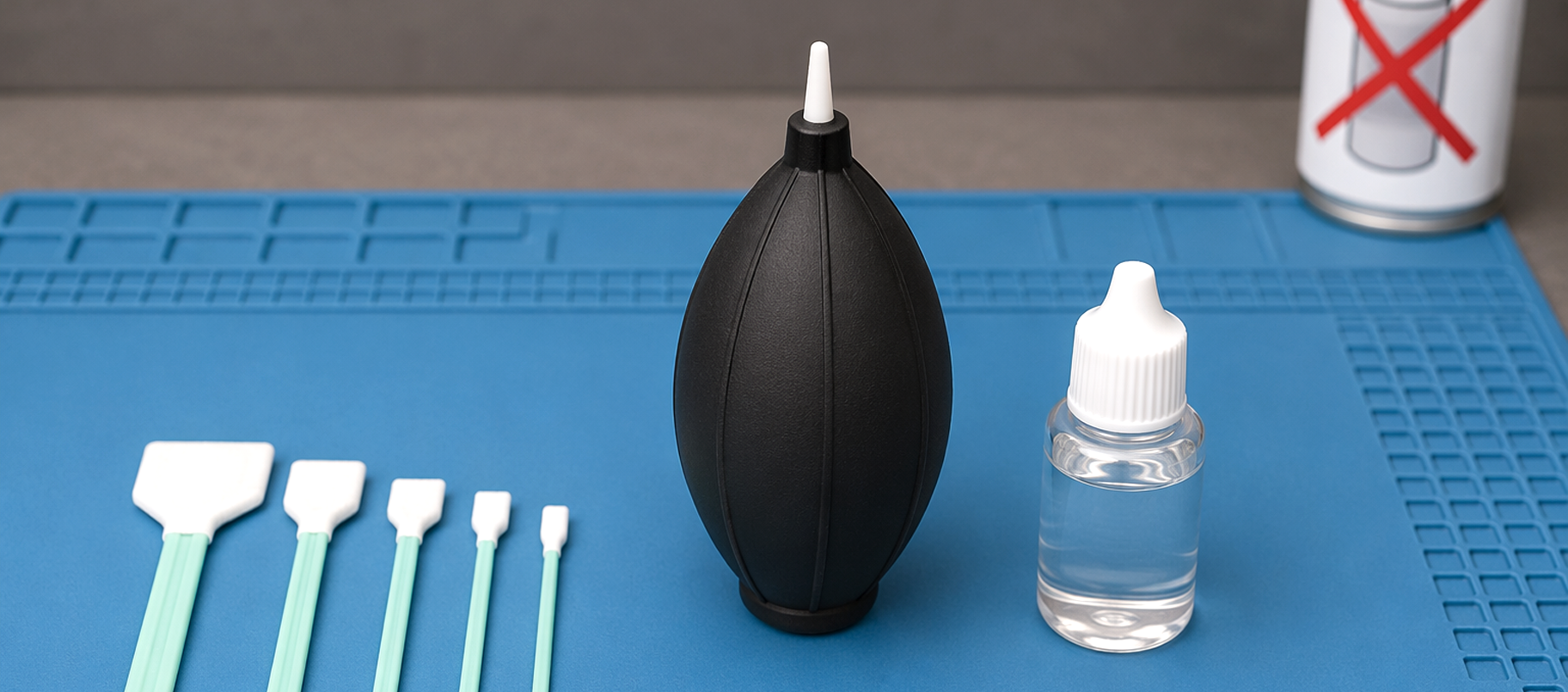
Selecting appropriate tools is essential before you begin cleaning a machine vision camera sensor. You will need an anti-static air blower, lint-free sensor swabs sized for the sensor format of your machine vision camera, and optical-grade sensor cleaning fluid. Never use compressed air canisters from hardware stores, as these can contain propellant residue and generate strong static fields. An anti-static blower designed for optical sensors is the correct first-line tool for a machine vision camera maintenance procedure.
Sensor swabs should match the sensor size of your machine vision camera. Using an oversized swab drags contaminants across a wider area and increases friction-related static. Optical sensor cleaning fluid should be applied sparingly to the swab rather than directly to the sensor surface of the machine vision camera, as excess fluid can seep under the sensor housing and cause corrosion over time.
Setting Up a Static-Safe Work Environment
Before opening the lens mount of a machine vision camera, set up an ESD-safe workstation. Place an anti-static mat on your work surface and connect it to a ground point. Wear a grounded ESD wrist strap throughout the entire cleaning process. The machine vision camera itself should be placed on the anti-static mat during sensor access. Work in a room with moderate humidity if possible, as very dry air dramatically increases static generation during machine vision camera maintenance.
Power off the machine vision camera and disconnect all cables before removing the lens. A powered machine vision camera sensor is far more vulnerable to ESD events than a fully disconnected one. Allow the machine vision camera to sit for at least one minute after power-off before opening the lens mount, giving any residual charge time to dissipate naturally.
Step-by-Step Sensor Cleaning Process
First Pass with Anti-Static Air Blower
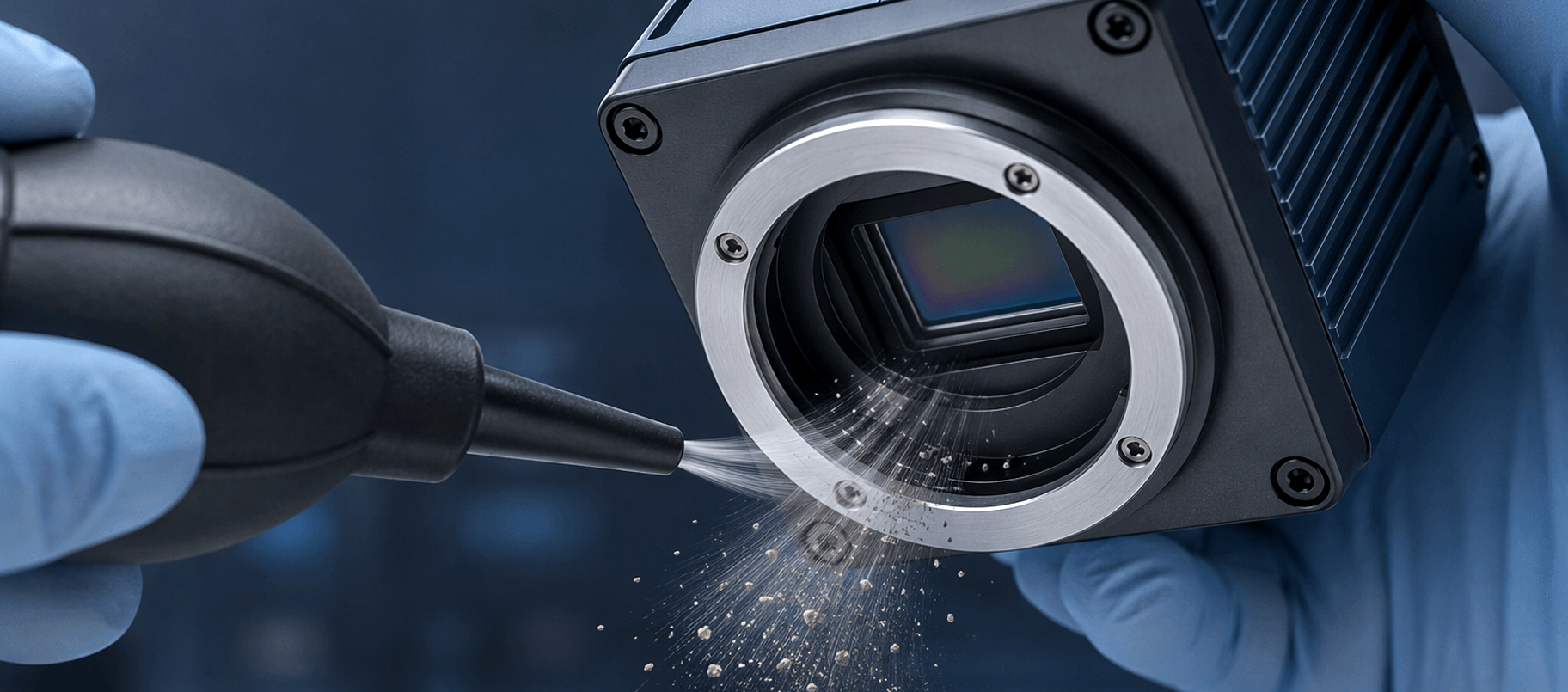
With the machine vision camera mounted securely on the anti-static mat and lens removed, use the anti-static air blower to gently blow loose particles off the sensor surface. Hold the machine vision camera with the sensor facing slightly downward so dislodged particles fall away from the sensor rather than resettling on it. Use short, controlled puffs rather than a continuous stream. Repeat three to four times. For many routine contamination cases, this first step alone resolves the image quality issue on a machine vision camera without requiring any physical contact with the sensor.
Wet Swab Cleaning for Stubborn Contamination
If the air blower step does not fully resolve the contamination visible on the machine vision camera, proceed to a wet swab pass. Apply one to two drops of optical sensor cleaning fluid to one end of a correctly sized sensor swab. Gently place the swab at one edge of the machine vision camera sensor and draw it across the surface in a single, smooth stroke without lifting or reversing direction. Flip the swab to the clean side and make one return pass. Never reuse a swab on a machine vision camera sensor, as a used swab carries contaminants and can cause micro-scratches.
After the wet swab pass, use the anti-static air blower once more to clear any remaining fluid residue from the machine vision camera sensor. Allow the sensor surface to air dry for thirty seconds before reattaching the lens. Perform a test capture with the machine vision camera under a flat light source to verify that contamination has been cleared and image quality is restored.
FAQ
How often should I clean the sensor of my machine vision camera?
The cleaning frequency for a machine vision camera sensor depends on the operating environment. In a dusty or oily industrial setting, inspect the machine vision camera sensor monthly. In a cleanroom or controlled environment, a quarterly inspection is typically sufficient. Always clean the machine vision camera sensor immediately if image quality defects appear.
Can I use regular isopropyl alcohol to clean a machine vision camera sensor?
Standard isopropyl alcohol is not recommended for cleaning a machine vision camera sensor. It often contains water and additives that leave residue on the optical surface. Use only optical-grade sensor cleaning fluid specifically formulated for machine vision camera and photographic sensor maintenance to avoid streaking or coating damage.
What should I do if my machine vision camera sensor is still dirty after cleaning?
If contamination persists after two careful cleaning attempts on your machine vision camera, avoid repeated aggressive swabbing. Instead, contact the machine vision camera manufacturer or a certified service center for professional sensor cleaning or inspection. Repeated improper cleaning attempts carry a higher risk of permanent sensor damage than a single expert service intervention.